
Stop! Think Fraud: how to spot mobile provider impersonation scams
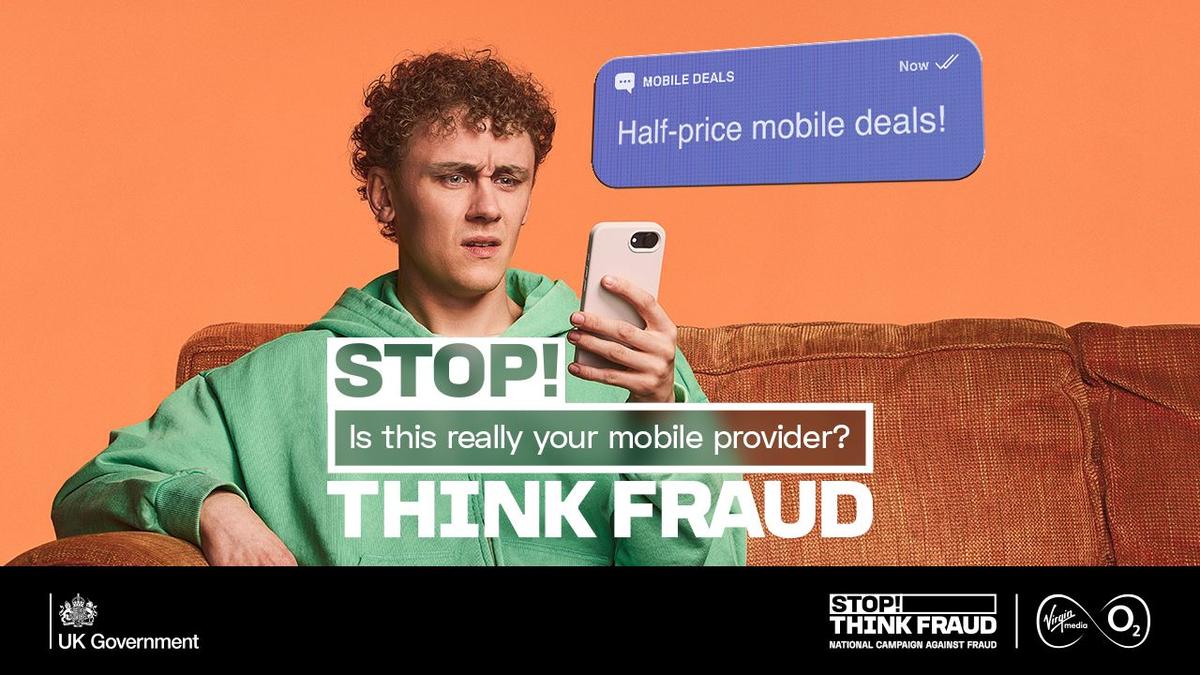
As part of our Stop! Think Fraud collaboration with the Home Office, we’re sharing the warning signs to look out for, how to protect yourself and what to do if you think you’ve been targeted
By Virgin Media Edit
- Published
- 28 October 2026
Scammers are getting better at pretending to be legitimate broadband and mobile providers, using fake calls, texts, emails and online adverts to trick people into handing over money or personal information.
As part of our Stop! Think Fraud Telco collaboration with the Home Office, we’re helping raise awareness of mobile provider impersonation fraud and the simple steps you can take to stay safe.
Here’s how to recognise the warning signs, protect your personal information and know what to do if you think you’ve been targeted.
What is mobile provider impersonation fraud?
Mobile provider impersonation fraud happens when criminals pretend to be a genuine mobile network or provider to steal your money or personal information. This could include your email address, online account password or a one-time passcode (OTP).
Scammers might contact you unexpectedly by phone, text or email, claiming they’re calling about your account, offering a cheaper deal or asking you to take urgent action to protect your service.

They may also use search engine adverts to promote fake deals, directing you to websites designed to look like those of genuine mobile providers. Their aim is to gain your trust, persuade you to share sensitive information or get you to place an order that could leave you out of pocket.
If in doubt, hang up or break contact immediately and contact your mobile provider on the number on their official website or app.
What to look out for
Fraudsters will try and pressure you into making a decision by offering limited time offers or claiming you will lose access to services if you don’t act fast.
They may:
Ask you to share your online account password or one-time passcode
Offer to place an order on your behalf either online or over the phone using your personal information
Ask you to place an order online claiming they are unable to place it on your behalf over the phone
Promise you a lower price than the one that appears on screen or in your order confirmation email
How to protect yourself
A few simple precautions can help you avoid falling victim to impersonation fraud.
Stop and think. If you receive an unexpected call or message about your mobile account, pause and consider whether the request is genuine before sharing personal information or making a payment.
Contact your provider directly. If you have any doubts, hang up or stop responding. Find the official contact number on your provider’s website or app and get in touch to check whether the offer or request is legitimate.
Keep your passwords and passcodes private. Never share your online account password over the phone. Be cautious about any unexpected request for a one-time passcode.
Don’t let anyone rush you. Be suspicious of callers who insist you must act immediately or risk losing access to your service.
Don’t share your screen. Your mobile operator will not ask you to share your screen with them.
Check online adverts carefully. Before clicking a search engine advert, check that the URL matches your provider’s official website address.
Trust your instincts. Your mobile operator will not discourage you from hanging up and calling back using an official number. If a caller gets impatient when you want to verify their identity, treat it as a warning sign.
Remember the Stop! Think Fraud message: if something doesn’t feel right, stop the conversation and check through an official channel before taking any action.
What should you do if you’ve been scammed?
If you think you’ve fallen victim to mobile provider impersonation fraud, act as soon as possible. There are several steps you can take to protect yourself and get help.
1. Contact your mobile provider
Report the suspected fraud to your mobile provider immediately. They’ll investigate your case and, once the fraud is confirmed, ensure you aren’t left with an unpaid bill or debt on your account as a result. They can also advise you on any further steps you need to take to protect yourself.
2. Contact your bank
If you’ve shared your banking details or made a payment, contact your bank immediately. Explain what’s happened and follow its advice on protecting your account and any money that may have been taken.
3. Report the fraud
In England, Wales and Northern Ireland, report the incident to Report Fraud online or call 0300 123 2040. If you’re in Scotland, contact Police Scotland on 101.
4. Secure your accounts
If you’ve shared your password or other login details, change your password as soon as possible and check your account for any activity you don’t recognise. If you’ve shared a one-time passcode, tell your provider what happened so it can advise you on the next steps.
Stay safe from mobile impersonation scams
Mobile provider impersonation scams can be convincing, especially when criminals use tempting deals or urgent warnings to gain your trust. But taking a moment to check who you’re speaking to can make all the difference.
Through our Stop! Think Fraud collaboration with the Home Office, the message is simple: stop, think and check before you act. Never feel pressured into sharing personal information, handing over a passcode or making a payment.
If something doesn’t feel right, end the conversation and contact your mobile provider directly using its official website or app.